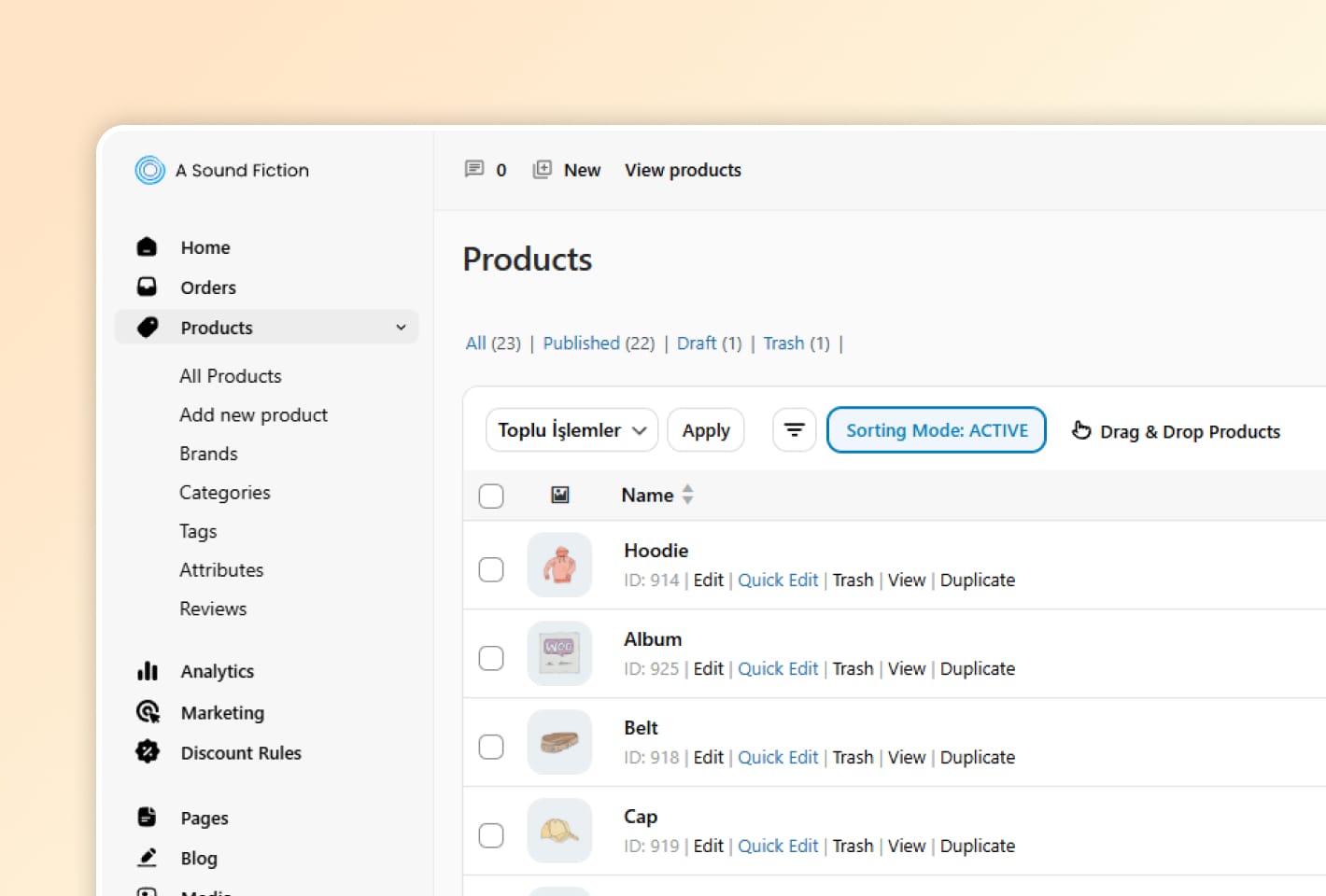
We have introduced a new Sorting Mode to give you full control over how products appear in your store. You can now customize the display order of your products with a simple toggle.
How to use it:
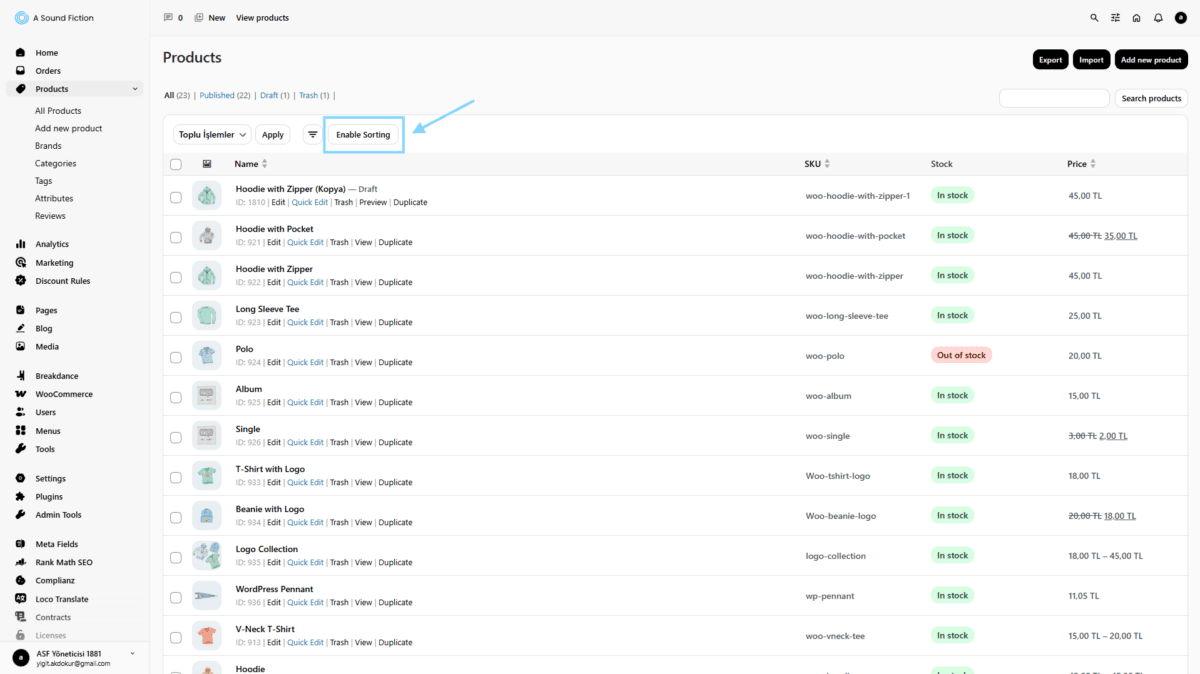
Enable Sorting: Click the “Enable Sorting” button on your product management screen.
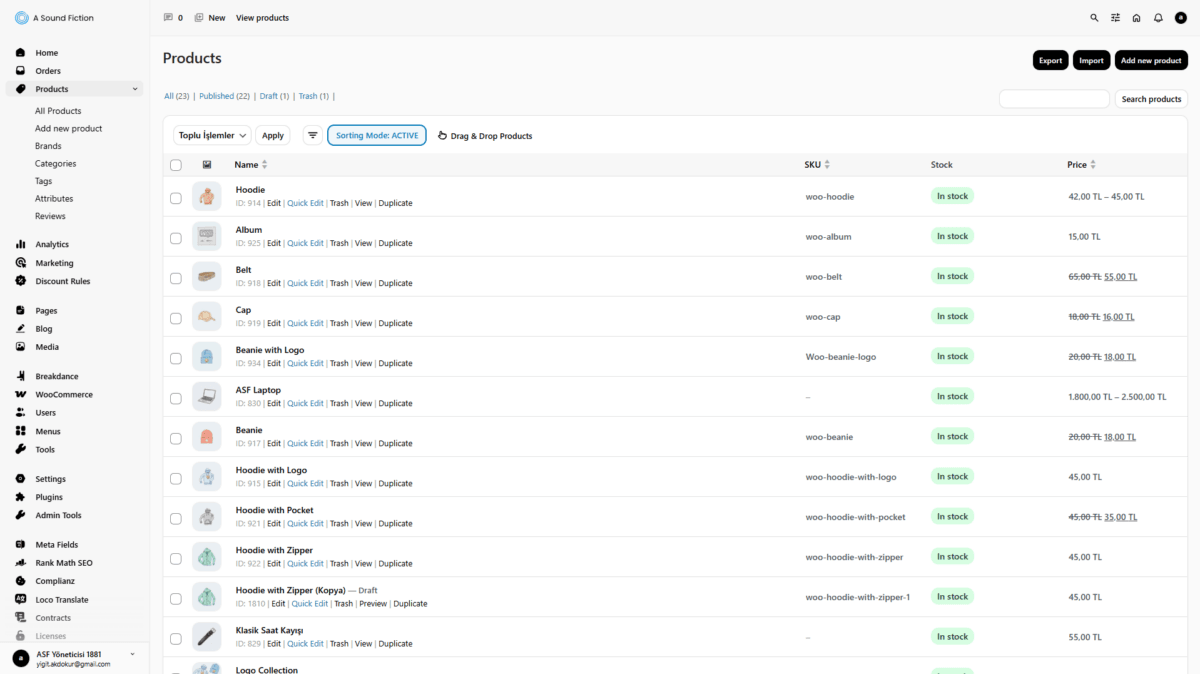
Organize: Once “Sorting Mode: ACTIVE” appears, simply use the “Drag & Drop Products” feature to move items into your preferred order.
Automatic Save: Your new arrangement is updated in real-time, ensuring your storefront looks exactly how you want it.
Enabling Sorting Mode
Sorting Move Active
This update is designed to help you highlight featured items and organize your catalog more effectively.
We use cookies to improve your experience, personalize content and ads, enable social features, analyze traffic, and share usage data with partners.
Functional
Always active
Technical storage or access is strictly necessary for a legitimate purpose in order to provide a specific service explicitly requested by the subscriber or user, or to transmit a communication over an electronic communications network.
Tercihler
Teknik depolama veya erişim, abone veya kullanıcı tarafından talep edilmeyen tercihlerin saklanmasının meşru amacı için gereklidir.
Statistics
These cookies help us optimize our website. By allowing us to use these cookies, we can learn which pages our users enjoy browsing the most and which products are the most popular. Some of these cookies are provided by companies located outside the country. If you enable the use of these cookies, your personal data processed through the cookies will be transferred abroad.These cookies help us optimize our website. By allowing us to use these cookies, we can gain insights into which pages our users enjoy visiting the most and which products are the most popular. Some of the providers of these cookies are located abroad. If you enable the use of these cookies, your personal data processed through cookies will be transferred abroad.
Marketing
These cookies are used to help prevent you from seeing irrelevant ads. They are also used to display Felu ads based on the products you browse, search for, or purchase when visiting other websites. Some of the providers of these cookies are located outside the country. If you enable the use of these cookies, your personal data processed through the cookies will be transferred abroad.